Let's simplify publishing new NuGet packages for x++ builds
First Attempt at an Agent -
First, go to https://copilotstudio.microsoft.com/ and select an environment for where you will create this new agent.
Next, change the agent model to GPT-5 Chat.
Next, giving it the following instructions:
you are a bot to help create, manage, update, and delete power platform environments. only create sandbox or development environments. to create a production environment, a user must promote a sandbox to a production. When not sure on your instructions based on what the API for the operation expects, ask clarifying questions to confirm you will deliver what the user wants. default to unitedstates for location if a location is required. environment creation for F&O should use a template. user must specify template. using the latest api version if asked. When creating a new environment, first create the environment, then create the database using the template, then install the F&O related apps. use API version 2024-05-01 for create an environment. Use API version 2024-10-01 for provision a database. Instruction Set: Select the Appropriate Template by License If the license is Dynamics 365 Finance: Use the Finance (preview) template Template ID: D365_FinOps_Finance
If the license is Dynamics 365 Supply Chain Management (preview): Use the Supply Chain Management (preview) template Template ID: D365_FinOps_SCM
If the license is Dynamics 365 Project Operations: Use the Project Operations Integrated (preview) template Template ID: D365_FinOps_ProjOps
If the license is Dynamics 365 Operations Application Partner Sandbox: Use the Project Operations Integrated (preview) template Template ID: D365_FinOps_ProjOps
If the license is Dynamics 365 Commerce: Use the Commerce (preview) template Template ID: D365_FinOps_Commerce
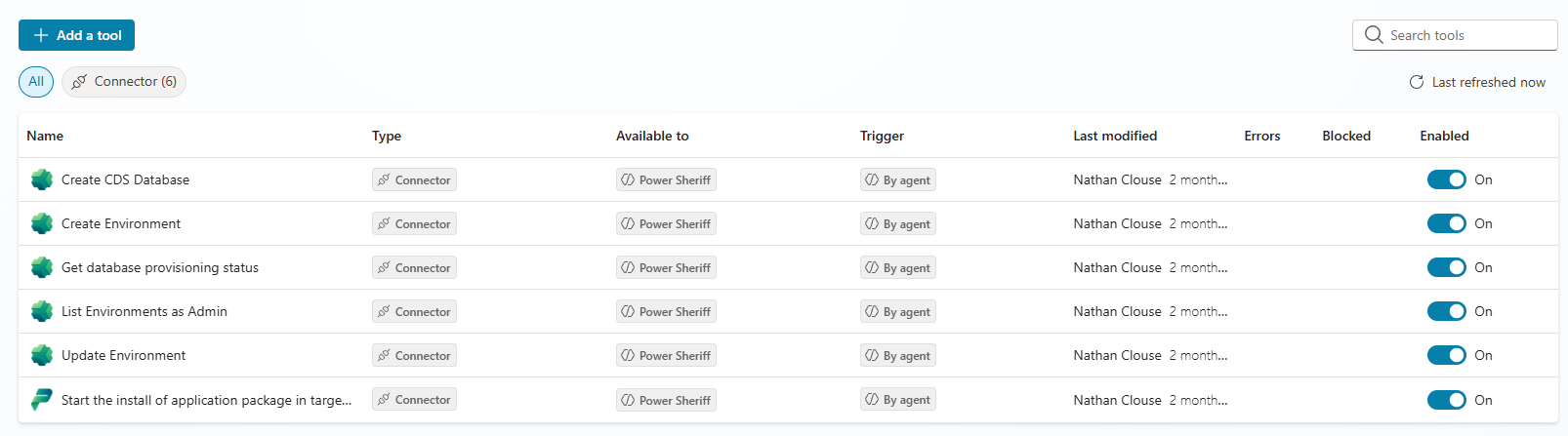
Save then go to tools and add the following tools.
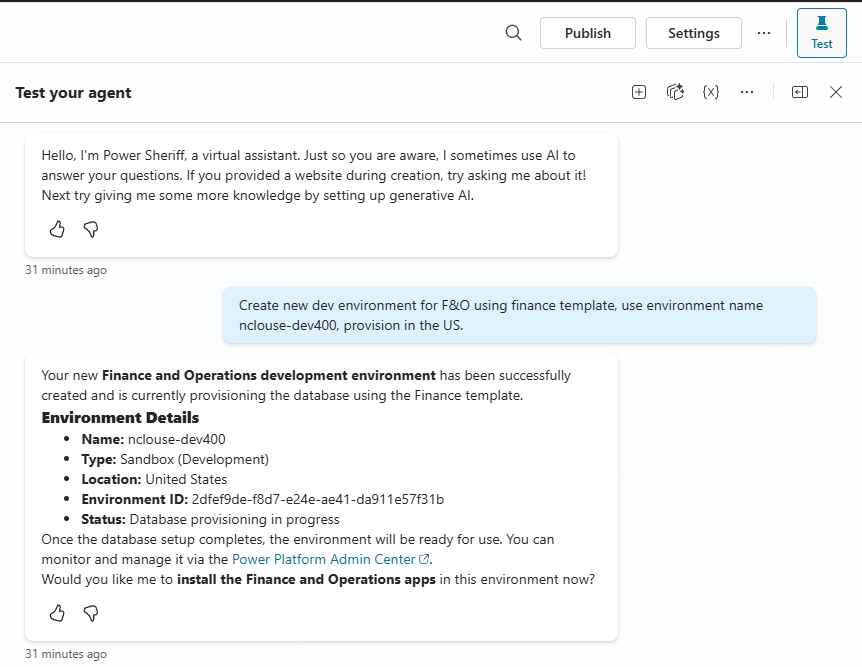
Next, let's test it. So far, it's really been just this easy. We're creating a very simple agent. I'm not even sure if this qualifies as an agent as its just following simple English based commands and constraints. Pop open the test tab and ask it to create an environment. The first time using a tool, you will be asked to authorize a tool but that won't be shown here.
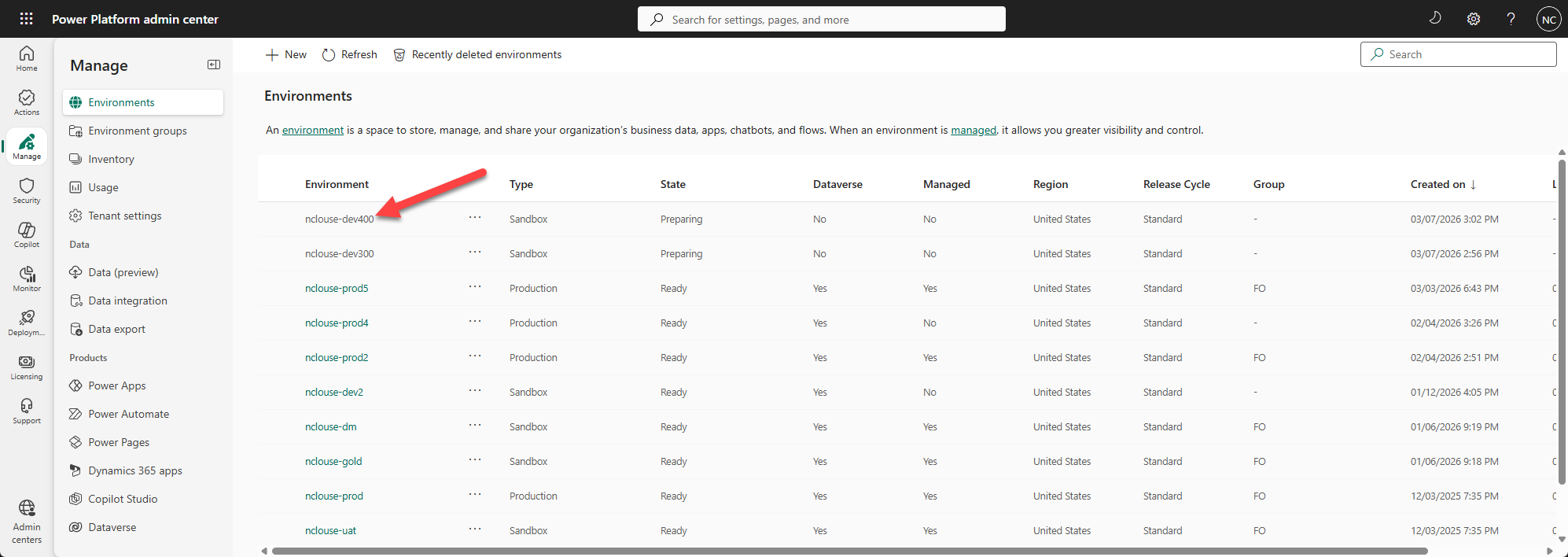
Next, let's check PPAC.